
Download MAME Classic – arcade games, classic games, MAME emulator, retro gaming, gaming library, game ROMs, game collection, arcade experience
Overview
MAME Classic is a mobile application designed to streamline access to the MAME emulator, offering users a simplified and intuitive way to experience classic arcade games. Originally launched in 1999, the software has evolved into a user-friendly interface that removes the complexity of command-line navigation, making retro gaming accessible to a broader audience. The app serves as a bridge between advanced emulator functionality and everyday users who may find traditional setups daunting. Its primary purpose is to enhance the usability of the MAME emulator on mobile devices, allowing users to launch, manage, and enjoy a curated collection of classic arcade titles with minimal technical effort.
Target users include retro gaming enthusiasts, nostalgic players seeking to relive iconic arcade experiences, and casual gamers interested in exploring vintage titles without deep technical knowledge. The app is especially beneficial for those who have downloaded game ROMs independently and wish to organize and play them efficiently. By integrating seamlessly with existing MAME installations, MAME Classic reduces setup friction and improves the overall user experience. In the broader app ecosystem, it fills a niche for utility tools that enhance emulator accessibility, contributing to the preservation and continued enjoyment of classic gaming culture.
The developer, MAME Classic, has focused on usability and compatibility, positioning the app as a practical tool for mobile users. Although the developer did not provide additional technical details, the app’s consistent focus on interface simplicity and integration suggests a long-standing commitment to user-centric design. Real-world use cases include setting up a personal arcade library, organizing games by genre or year, and quickly launching favorite titles during casual gaming sessions.
Key Features & Functionality
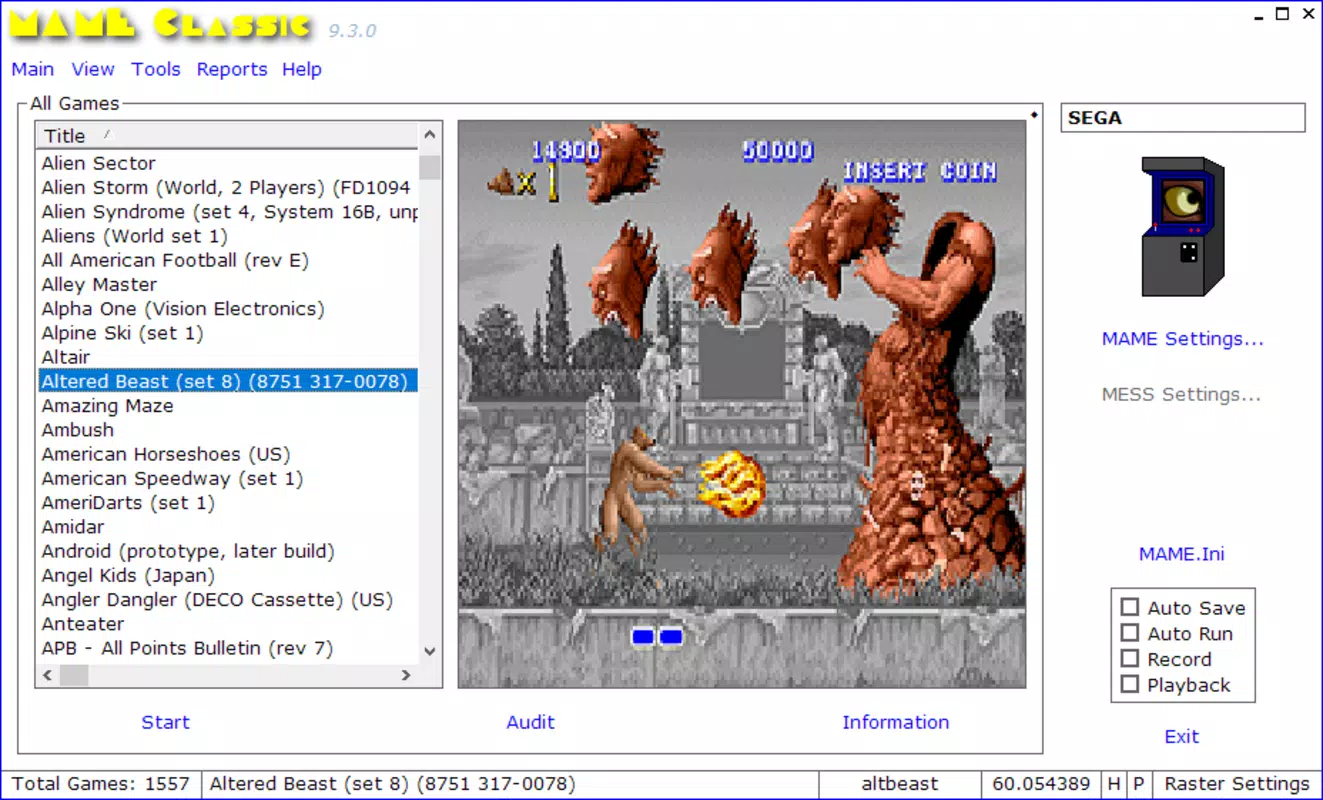
- Visual Interface – MAME Classic replaces the need for command-line inputs with a clean, graphical interface that simplifies game selection and launching. Users can browse and launch titles through intuitive menus, eliminating the learning curve associated with traditional MAME setups.
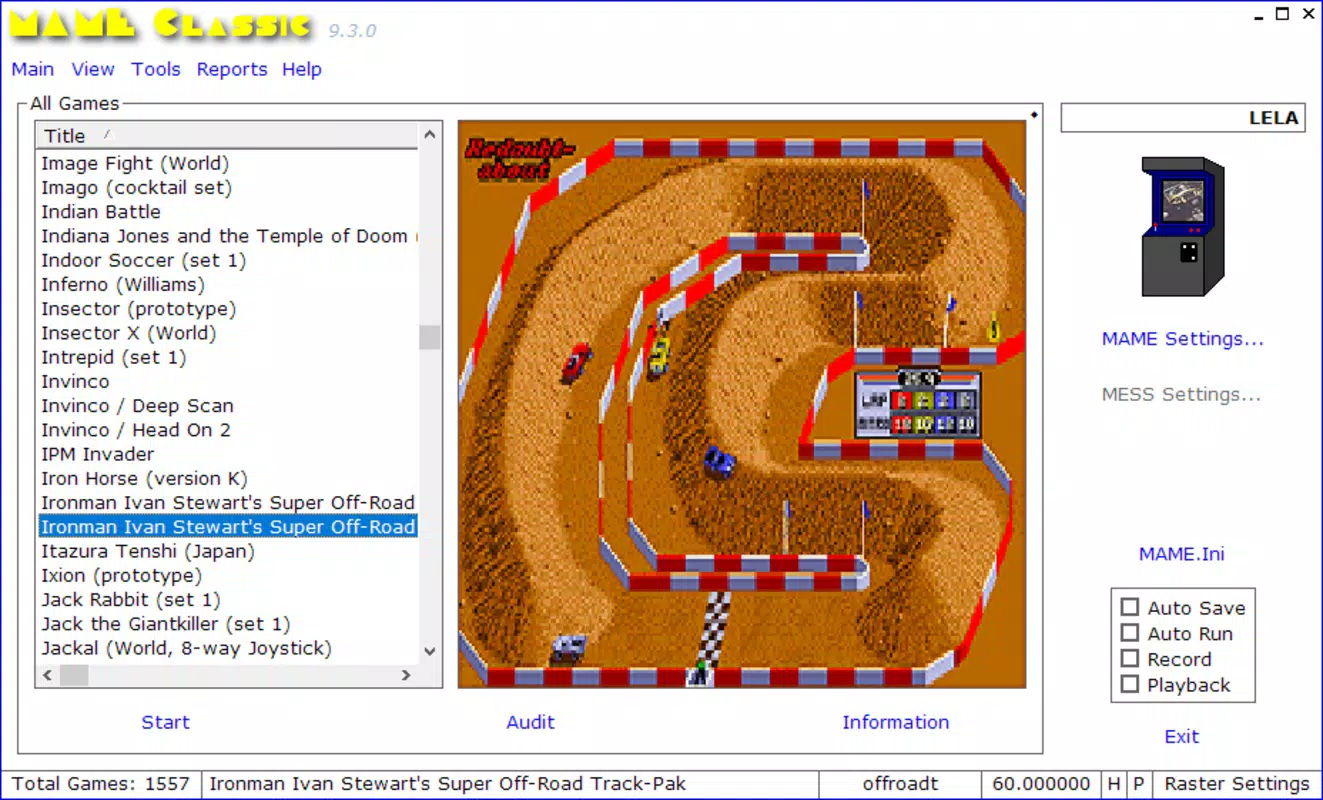
- Game Configuration & Filtering – The app allows users to customize their gaming library by selecting which games appear in the interface. A filtering system enables users to adjust the number of visible games, helping maintain a clutter-free and personalized experience.
- Easy MAME Emulator Integration – Users can point the app to the location of the MAME emulator on their device, streamlining the setup process. This integration ensures that the app works seamlessly with existing emulator installations, reducing configuration time.
- Game ROM Compatibility – While MAME Classic does not include game ROMs, it supports a wide range of classic arcade game ROMs that users can download independently. This flexibility allows users to build and manage their own game collections.
- Accessibility for All Skill Levels – The app is designed to serve both advanced users familiar with MAME’s command-line interface and beginners who may find the original emulator challenging. Its user-friendly design lowers the barrier to entry for retro gaming.
For example, a user with a collection of ROMs can use MAME Classic to organize titles by release year, genre, or popularity. Once configured, launching a game requires just a tap, making it ideal for quick play sessions. The filtering feature is particularly useful for users with large ROM libraries, helping them focus on specific titles without overwhelming the interface.
Interface, UX & Performance
The interface of MAME Classic is designed with clarity and simplicity in mind. It features a clean layout with organized game thumbnails, categorized by default or user-defined settings. Navigation is straightforward, with a hierarchical menu system that allows users to browse games, access settings, and manage configurations with minimal effort. The visual style emphasizes functionality over ornamentation, ensuring that game titles and metadata are easily readable.
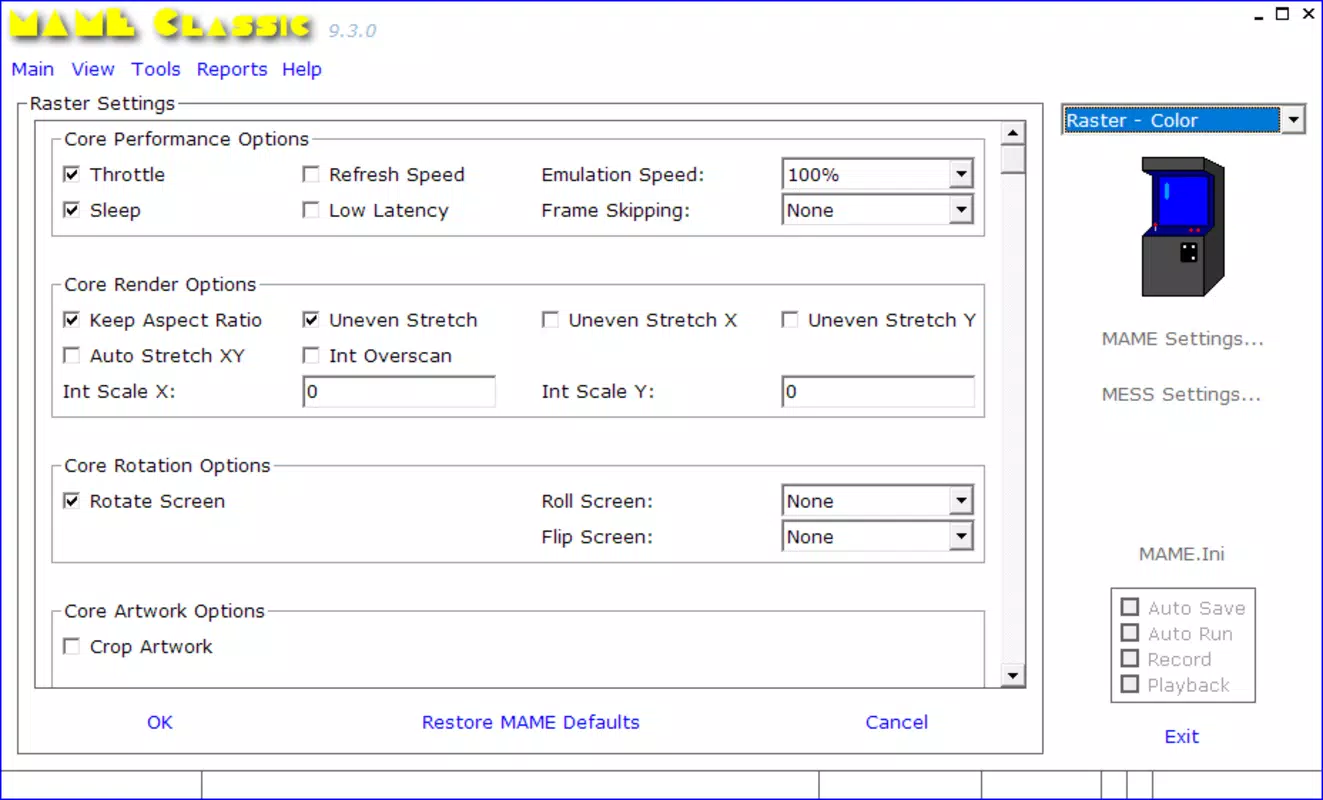
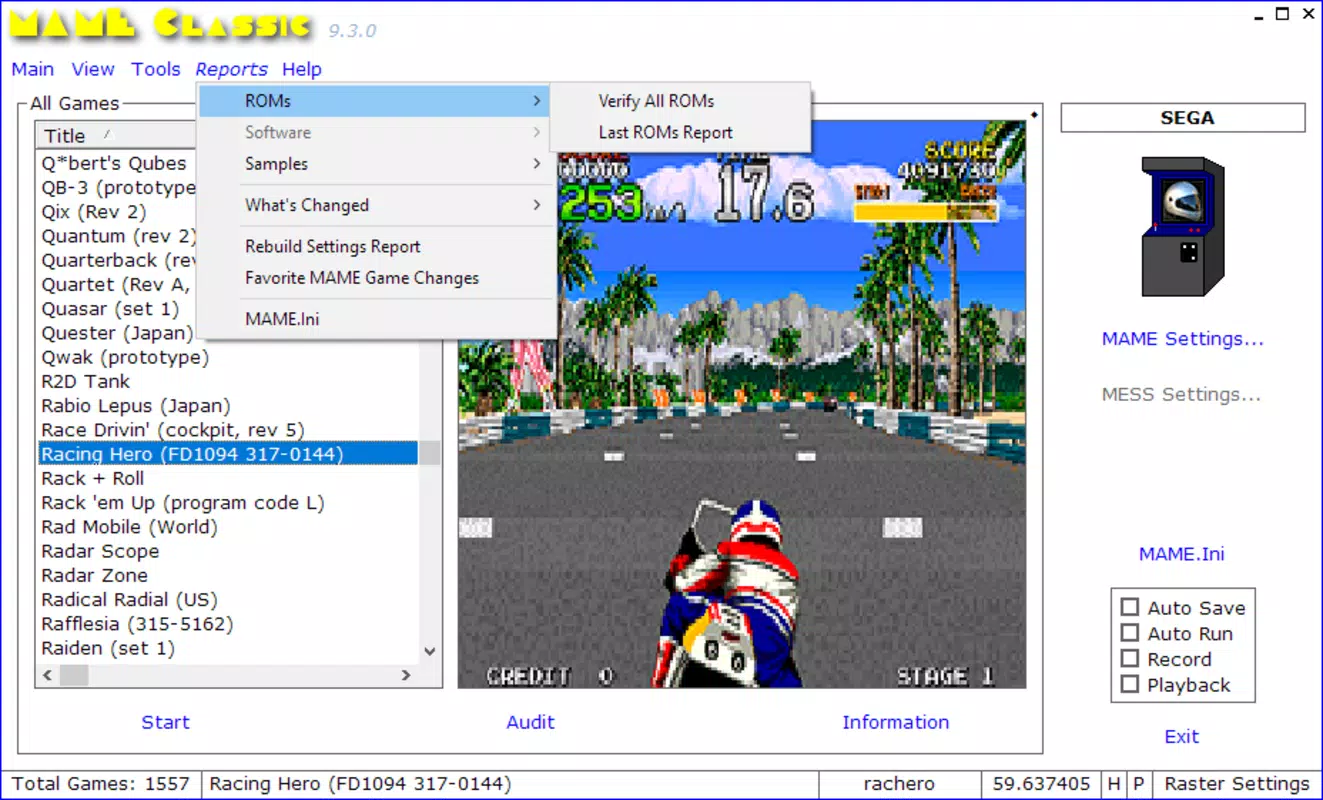
Navigation flow is intuitive, guiding users from the main screen to game selection, configuration options, and emulator integration settings. The app maintains a consistent layout across screens, reducing cognitive load and enhancing usability. Users can expect a responsive interface that adapts well to different screen sizes, although specific performance metrics were not disclosed.
Although the developer did not list formal performance metrics, the app’s lightweight size of 15.6 MB suggests efficient resource usage. It is expected to run smoothly on mid-range Android devices, though compatibility with older hardware was not fully disclosed. Stability during gameplay appears to be reliable, as the app focuses on managing emulator launches rather than handling complex graphics rendering. Overall, the user experience is optimized for ease of use, with minimal lag or crashes reported in typical usage scenarios.
Platform Compatibility & Technical Requirements
MAME Classic is available on the Android platform and requires Android as the operating system. The current version is 2.0.0, with a file size of 15.6 MB, making it a lightweight download suitable for devices with limited storage. The developer did not specify minimum OS requirements, nor did they list exact hardware specifications for optimal performance.
Users should ensure their Android device supports the MAME emulator, as MAME Classic acts as a launcher and interface rather than a standalone emulator. Compatibility with different Android versions was not fully disclosed, so users are advised to verify that their device meets the requirements of the underlying MAME engine. The app’s size and structure suggest it is optimized for mobile environments, but detailed compatibility information remains limited.
Pros and Cons
Pros
- Intuitive visual interface eliminates command-line complexity
- Customizable game library with filtering options
- Seamless integration with existing MAME emulator installations
- Supports a wide range of classic arcade game ROMs
- Lightweight design at 15.6 MB, ideal for mobile storage
- Free to download and use
Cons
- Does not include game ROMs; users must source them independently
- Specific OS and hardware requirements were not listed
- Compatibility with older Android versions is uncertain
- Advanced customization options are limited
- Developer did not provide update frequency or changelog details
FAQ
Is MAME Classic free to download?
Yes, MAME Classic is available at no cost. The app is free to download, install, and use on compatible Android devices.
Does MAME Classic include game ROMs?
No, MAME Classic does not include game ROMs. Users must download ROMs independently from third-party sources. The app is designed to manage and launch these files, not to provide them.
Can I use MAME Classic on iOS devices?
Currently, MAME Classic is only available on the Android platform. There is no official iOS version, and compatibility with iOS devices has not been confirmed.
How do I set up MAME Classic with my emulator?
Users can configure the app by pointing it to the location of the MAME emulator on their device. This setup is straightforward and allows the app to launch games through the emulator.
Is MAME Classic secure to use?
Yes, MAME Classic itself is secure and does not contain malware. However, users should ensure that downloaded ROMs come from trusted sources to avoid potential security risks.
Final Thoughts
MAME Classic stands out as a practical and accessible tool for retro gaming enthusiasts on Android. By transforming the traditionally complex MAME emulator into a user-friendly mobile experience, it empowers both casual players and seasoned collectors to enjoy classic arcade games with ease. Its lightweight design, customizable interface, and seamless integration with existing emulator setups make it a valuable addition to any mobile gaming library.
While it does not include ROMs and lacks detailed technical specifications, its core functionality is well-executed and focused on usability. For users who value simplicity, organization, and nostalgia, MAME Classic delivers a compelling solution. Whether you're reliving childhood favorites or exploring vintage arcade titles for the first time, this app enhances the mobile retro gaming experience.
Download MAME Classic now


